Unity releases an official plugin that teaches coding agents how to work in Unity
Unity has shipped a first-party plugin for Claude Code that installs 29 engineering skills written by its own feature teams, and has since brought the same skills to OpenAI's Codex and xAI's Grok Build.
9 September 2026 · 3 min read
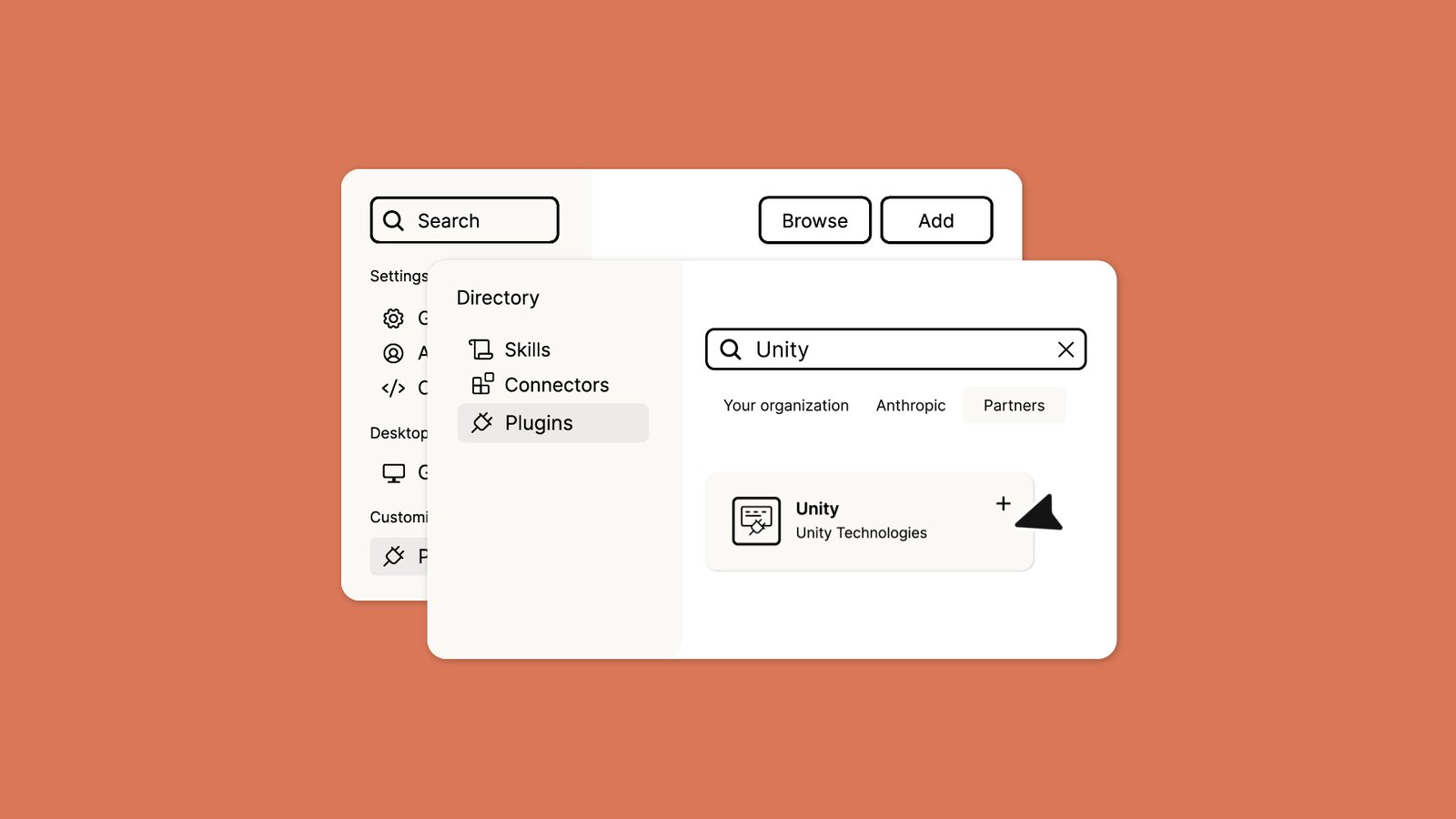
Unity Technologies released an official Unity Plugin for Claude Code on 9 September 2026. The first-party plugin installs a set of engineering skills, written by Unity’s own feature teams, that tell a general-purpose coding agent how a Unity project is supposed to be built. Unity has since released the same plugin for OpenAI’s Codex on 16 September and for xAI’s Grok Build on 1 October, all maintained from a single repository.
What was announced
At launch the plugin installed 29 skills with a single command, with no per-project configuration. It is listed among the partner plugins in the Claude Code plugin directory and can be installed from the terminal or from Claude Code inside the Claude desktop app. It requires Unity 6 or later.
The skills cover routine engine work rather than gameplay design. Unity’s announcement lists, among others:
- Getting started and tooling: a guided new-project flow, a
unity-cliskill that drives a live Editor from the terminal, and package management. - UI: a router skill that detects whether a project uses UI Toolkit, uGUI or IMGUI before writing any UI code, plus specialist skills for each and for TextMeshPro.
- 2D: pixel-perfect rendering, sprite editing, sprite atlases, tile palettes and RuleTiles.
- Graphics: URP post-processing, custom Shader Graph nodes, and review of Render Graph renderer features.
- Gameplay and services: AI Navigation setup, 3D physics collision debugging, in-app purchases, LevelPlay ads, live-ops features, multiplayer services, web build optimisation and localisation.
The plugin builds on the Unity CLI, which Unity launched at Unite Seoul and described in a 20 July blog post. The CLI is a standalone binary for managing editors and projects, and an experimental Pipeline package lets it drive a running Editor and run C# inside it without a recompile. Unity presented the combination as a way for agents to open a project, apply a change, run tests and check the result without a human relaying output.
The Codex version launched with 31 skills, and Unity says the Claude Code, Codex and Grok Build plugins carry identical skills.
Why it matters for AI game designers
The problem Unity is addressing is familiar to anyone who has pointed a coding agent at a Unity project. The agent writes plausible code that uses the wrong UI framework, an outdated API, or a setup that compiles but does not match how the engine expects things to be done. Unity’s argument is that skills authored by the teams that own each system reduce these errors, use fewer tokens and finish tasks in fewer turns. It also says the skills have had a security review and that their documentation will stay in step with the engine.
There is a strategic point too. Unity’s own post observes that a growing number of developers now start by describing a game to a coding agent, and that the agent tends to pick an engine it can install and run in the same session. Shipping skills and a CLI into the agents people already use is Unity’s attempt to be that engine. This sits alongside its in-editor AI assistant, MCP server and AI gateway, which entered open beta in May.
Caveats
The performance claims about fewer errors and lower token use are Unity’s, and it has not published benchmarks for them. The skills focus on setup, configuration and debugging, not on designing systems or gameplay. The Pipeline package that lets the CLI drive a live Editor is labelled experimental. As with any agent workflow, results still depend on the model behind the agent.
The takeaway
Unity is not trying to own the agent. It wants every major coding agent to arrive already knowing how to do Unity work properly, so that “build a game” in a terminal ends up in Unity. For designers already prototyping with agents, the plugin is a low-effort install that should cut down on the most common Unity-specific mistakes.
Source: Unity blog ↗